
Tusyndon · Drawing Automation
Tusyndon Drawing Nester
Creo Drawing Nesting and Batch Plotting Software
Designed for batch output of Creo Parametric drawings, Drawing Nester organizes multiple drawings into optimized layouts for large-format sheets or roll paper and generates a manageable plotting queue.
Product demo: 4:33 · Environment: Creo Parametric
Creo drawing workflow
Organized around drawing lists, sheet sizes, and layout constraints
Large-format / roll paper
Supports fixed-sheet and roll-paper layouts
Batch output management
Generates a plot queue and retains output result information
Benefits
Designed for batch drawing output
Drawing Nester streamlines the full workflow—from drawing preparation and nesting to controlled batch output.
Reduce manual layout work
Process drawing lists in batches instead of positioning and reorganizing sheets individually.
Optimize paper usage
Create layouts based on sheet size, paper specs, roll width, spacing, and other constraints.
Keep output controlled
Keep layout results, plot queues, and output records within a single engineering workflow.
Capabilities
Core capabilities
The screenshots below are from the actual Drawing Nester product, demonstrating precheck, nesting, and batch output within the Creo workflow.
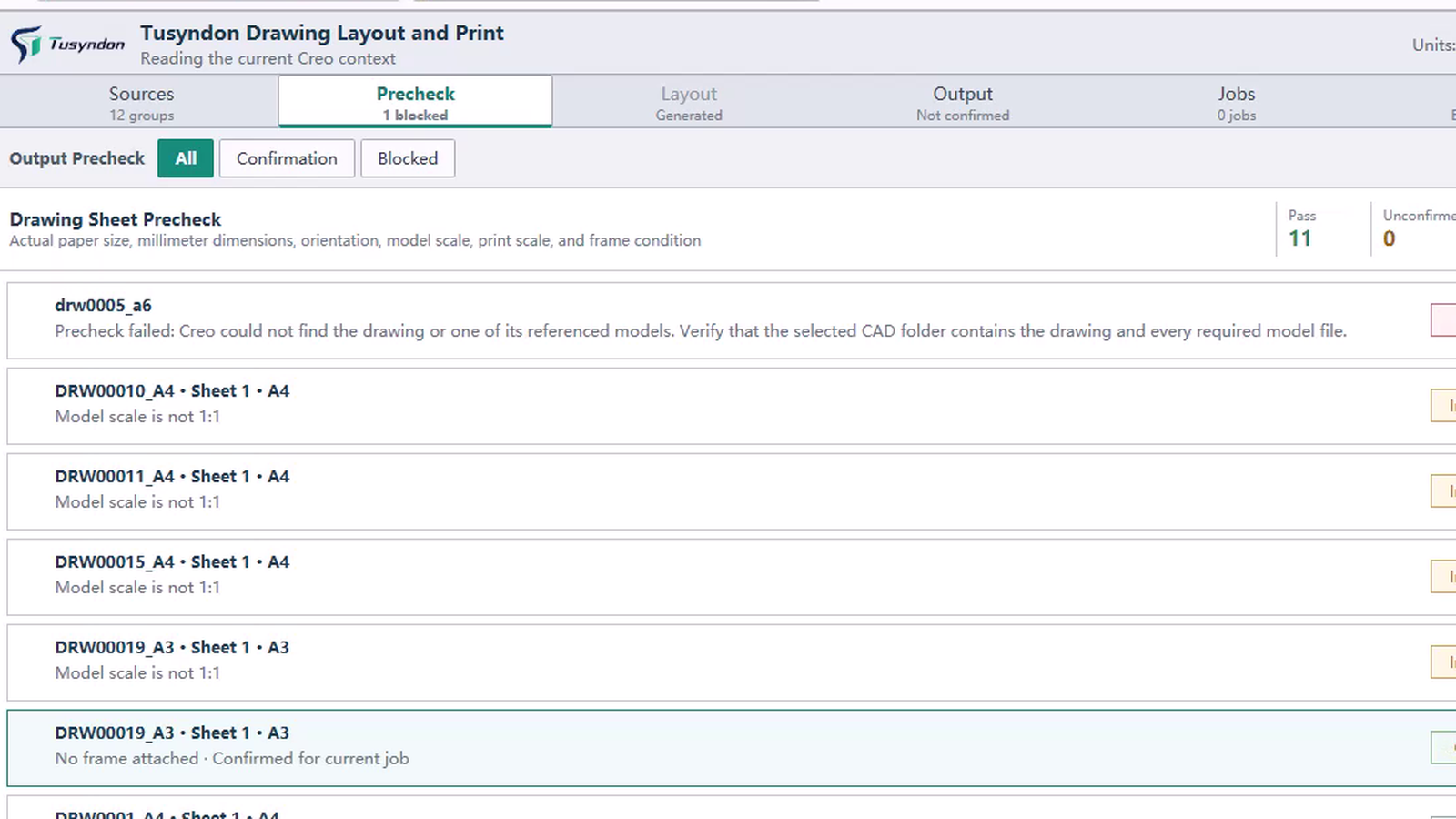
01 · PRELIMINARY DRAWING REVIEW
Drawing pre-check
Review the drawing list and issues requiring confirmation before nesting begins.
- Identify drawing and sheet size information
- Centralize drawings requiring attention
- Define a clear input set for nesting
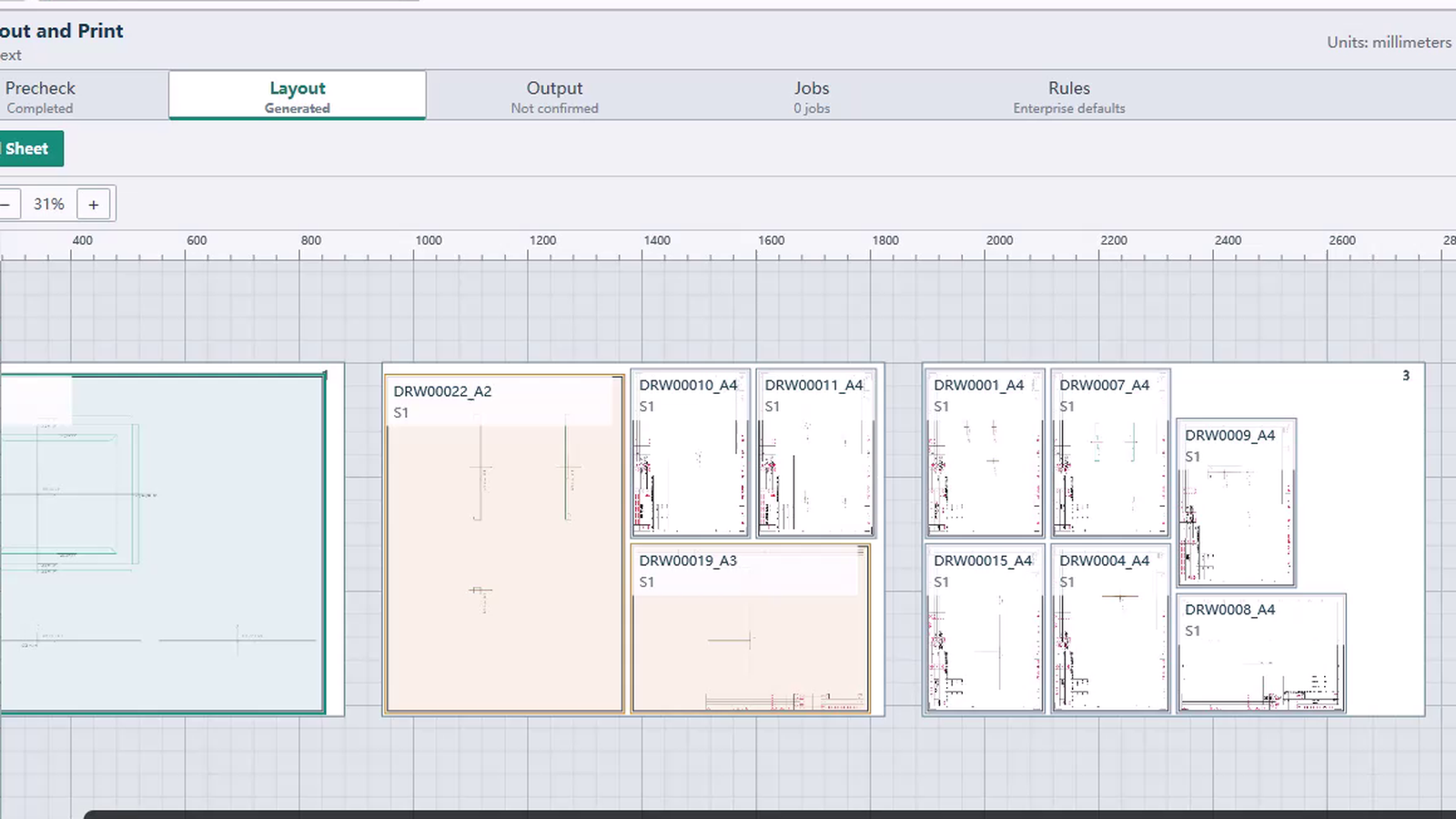
02 · AUTOMATIC NESTING
Automatic nesting
Generate layout plans from paper specifications, roll width, drawing spacing, and other constraints.
- Support large-format sheets and roll paper
- Review drawing position, orientation, and plan information
- View utilization and layout result details
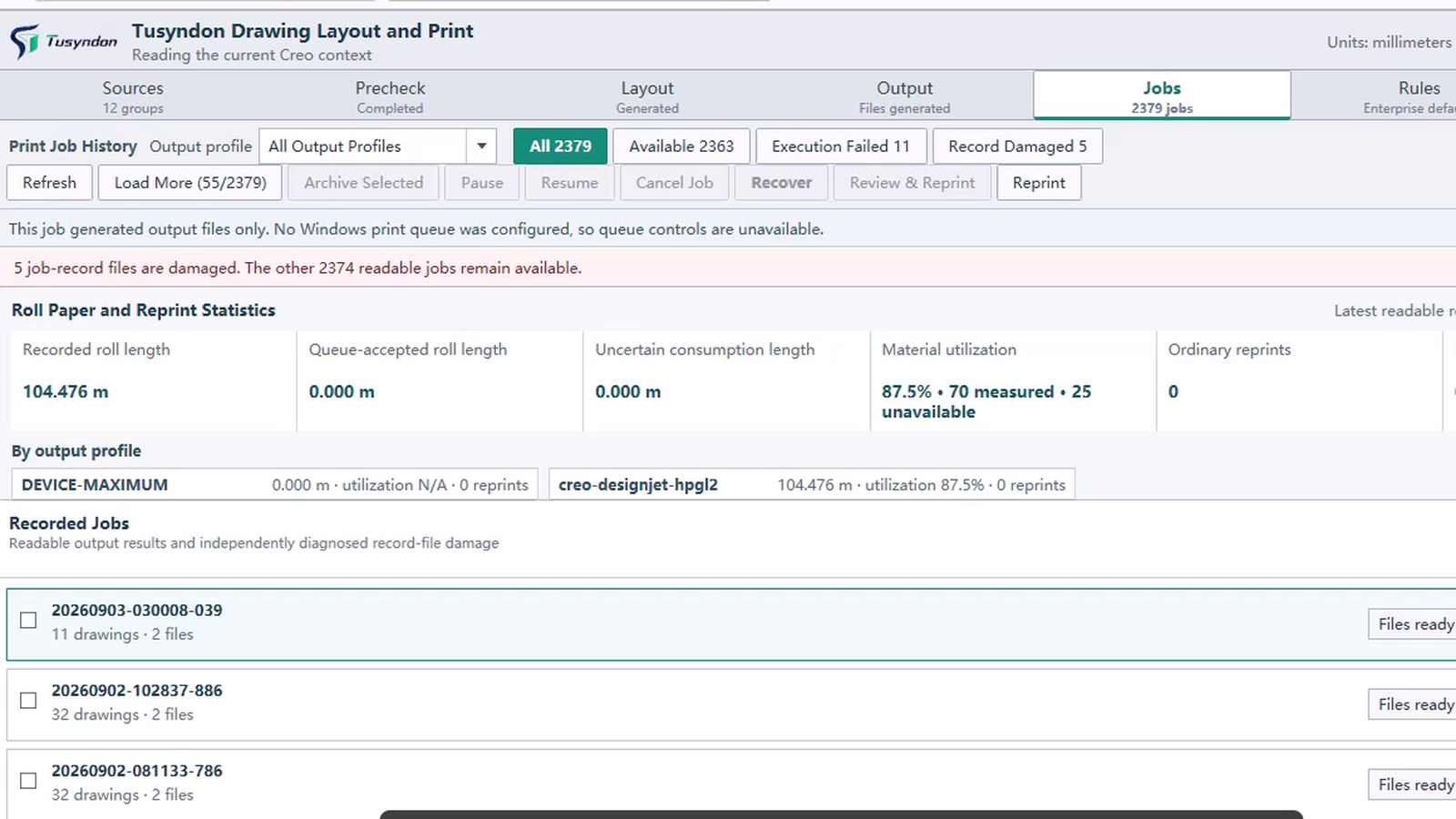
03 · BATCH OUTPUT
Batch output
Move approved layouts to the output workflow while preserving job and execution details.
- Create a manageable plotting queue
- Check job execution status
- Keep output records and exception details
Workflow
Batch export from Creo drawings
A continuous workflow for drawing preparation, nesting, review, and plotting.
- 1
Drawing list
Select Creo drawings to process
- 2
Precheck
Detect sheet sizes and review drawing issues
- 3
Terms
Set paper, roll width, spacing, and constraints
- 4
Automatic nesting
Generate and review layout plan
- 5
Batch output
Create plot queue and retain results
Technical details
Technical information
Drawing Nester is designed for Creo Parametric drawing workflows. Specific Creo versions, plotters, and enterprise output environments are verified for compatibility before deployment.
- Engineering objects
- Creo drawings and drawing lists
- Arrange media
- Fixed sheets, large-format paper, roll paper
- Layout constraints
- Sheet size, paper specifications, roll width, drawing spacing, and related constraints
- Output information
- Layout results, paper utilization data, plot queue, and output records
- Product environment
- Designed for Creo Parametric drawing workflows
Who uses it
Plot Engineers
Batch plot and queue management
Process Leads
Focus on paper costs and batch scheduling
Document Control
Manage size standards and plot records
CAD Administrators
Manage plug-in deployment and driver compatibility
Platform compatibility
Ideal for Creo engineering workflows; other CAD/BIM platform capabilities can be assessed using engineering samples.
FAQ
What sheet sizes are supported?
Standard A0–A4 sizes and custom roll widths; margins configurable per plotter.
How are failed jobs handled?
Failed items are moved to a failed list with reasons. They can be re-nested after adjusting gap or rotation rules.
Is it compatible with other CAD platforms?
Designed for Creo engineering workflows; other CAD/BIM platforms can be evaluated using engineering samples.
Resources
Explore Drawing Nester
Review engineering drawing outputs, product information, and sample evaluation guidance.
View resourcesEvaluate drawings with Creo
Schedule a product demo to review your drawing volume, sheet mix, and plotting workflow with Tusyndon.